Hackaday. API Website Development

My Role

UX/UI Designer

Timeline

3 Months

Tools

Figma

Case Study Time

6 min

Summary

A redesigned Hackaday.io API platform that delivers a user-centered onboarding experience, reducing errors and improving usability for developers and researchers.

A redesigned Hackaday.io API platform that delivers a user-centered onboarding experience, reducing errors and improving usability for developers and researchers.

Overview

Hackaday.io has over one million members.


Its API platform has been newly branded and designed from scratch to provide a better developer experience. The Hackaday.io API onboarding process is tailored for Hackaday enthusiasts and researchers who want to leverage our APIs. The previous version only included a login screen, application creation, and API documentation, which often led to frequent user errors.


The updated version takes a user-centric approach, enhancing consistency, user control, and flexibility while prioritizing error prevention.
Outcome

Outcome

Improved usability

Delivered more intuitive workflows that reduced user errors during onboarding and tool adoption.

Improved usability

Delivered more intuitive workflows that reduced user errors during onboarding and tool adoption.

Enhanced consistency

Established design patterns that aligned with the company’s branding and improved cross-platform coherence.

Enhanced consistency

Established design patterns that aligned with the company’s branding and improved cross-platform coherence.

Increased efficiency

Streamlined the design-to-development handoff, enabling faster iteration and reducing engineering rework

Increased efficiency

Streamlined the design-to-development handoff, enabling faster iteration and reducing engineering rework

Along the way, I faced and solved several usability problems:

1. API Documents page was based on a fixed template, limiting design flexibility


→ Solution: Optimised the API Documents page with branding adjustments and implemented the most user-friendly design options.


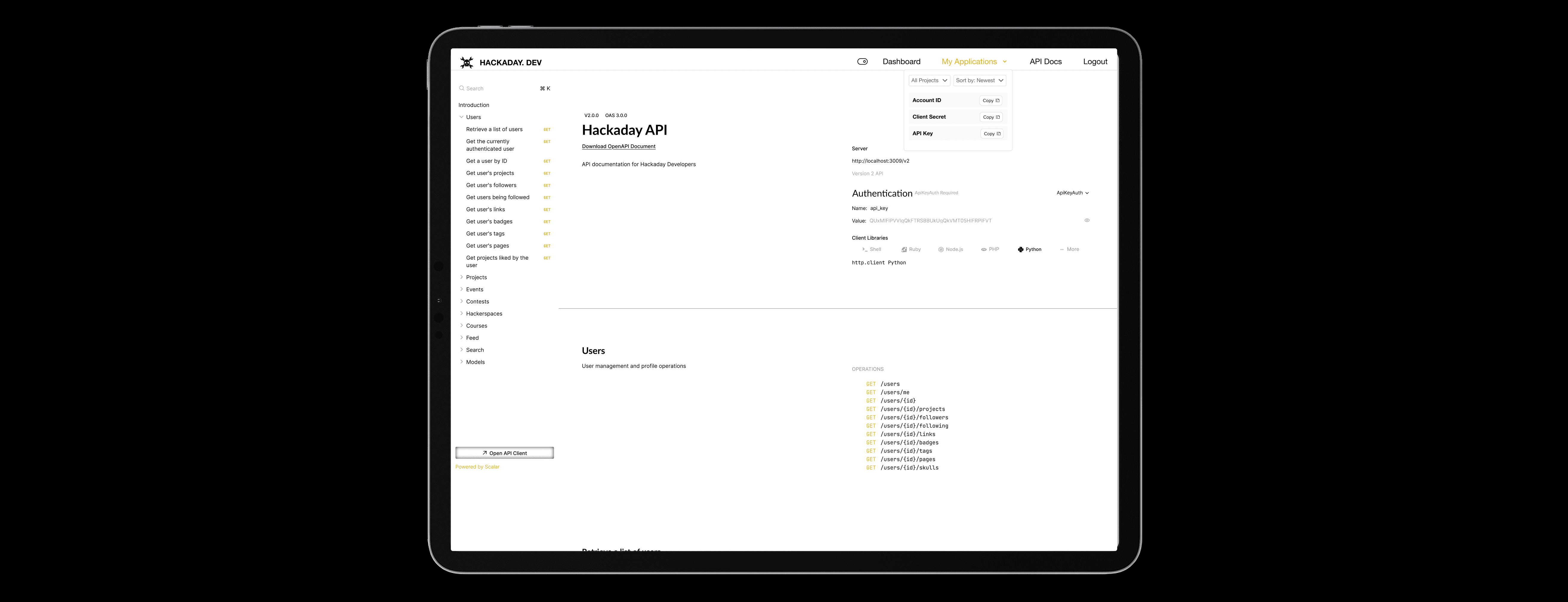
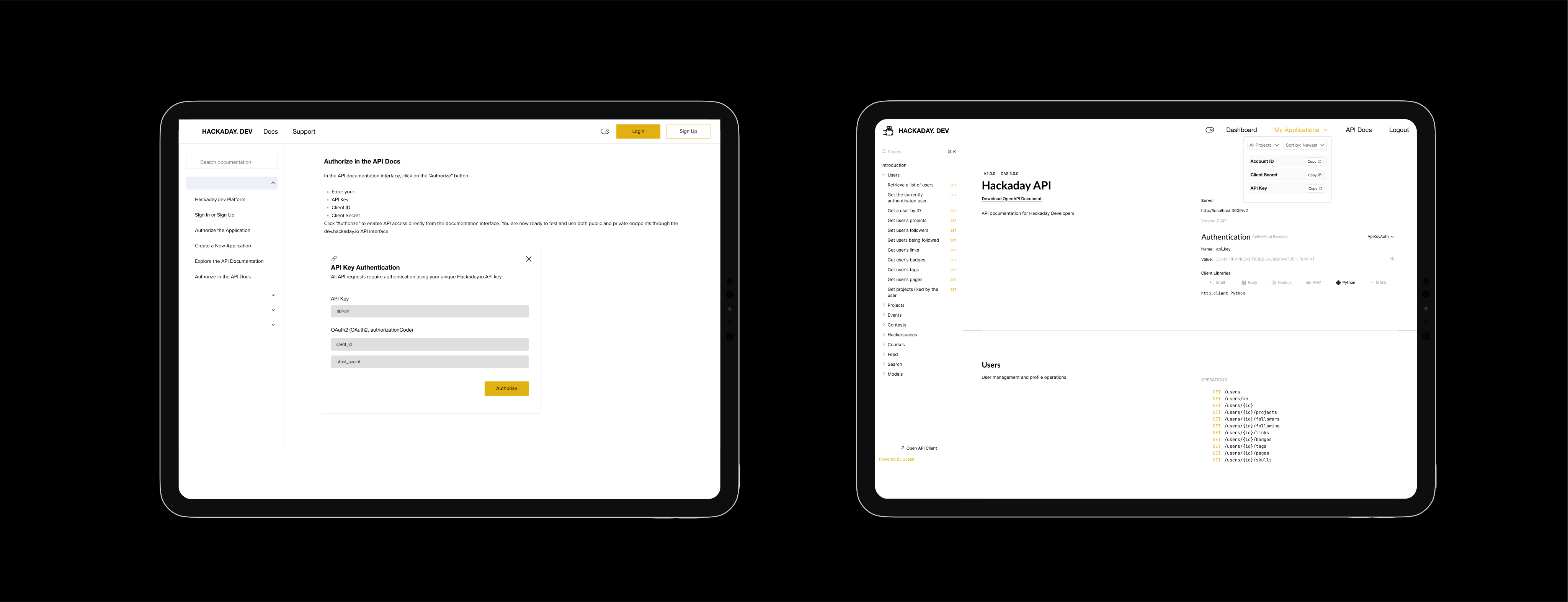
2. Copying and pasting API Key, Client Secret, and Client ID on the documents page caused back-and-forth delays.


→ Solution: Improved efficiency by adding a sticky header for easy copying of API Keys and IDs.


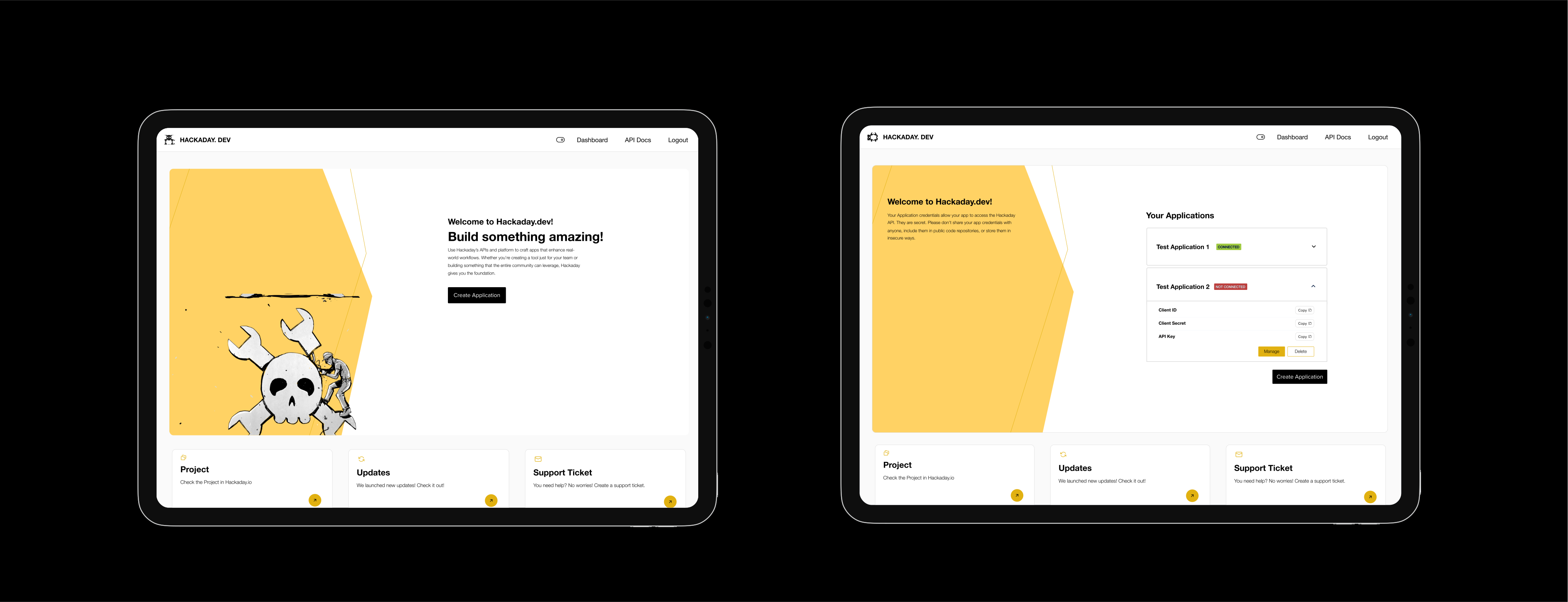
3. Users needed an easier way to create new apps and access existing ones.


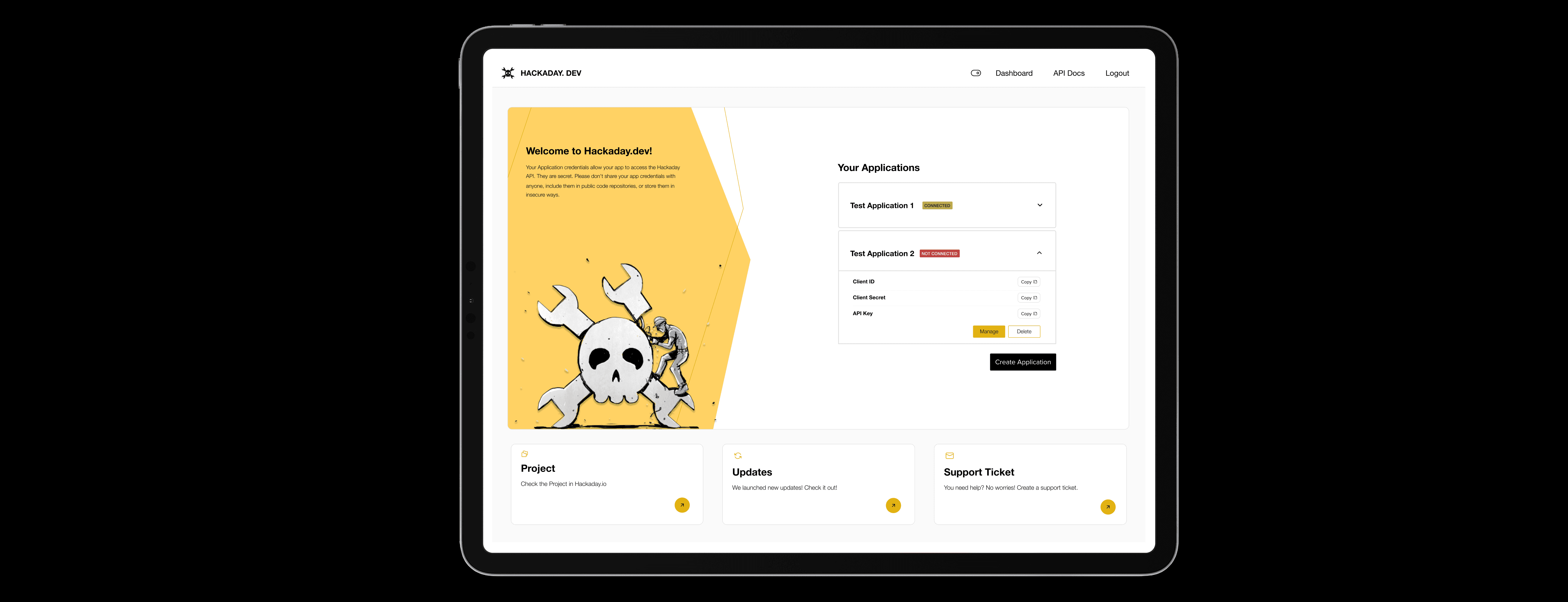
→ Solution: Designed a dashboard to allow users to manage apps more intuitively.


4. Branding was unfamiliar to users.


→ Solution: Enhanced accessibility by replacing the non-brand blue with high-contrast yellow and supporting both dark and light modes.


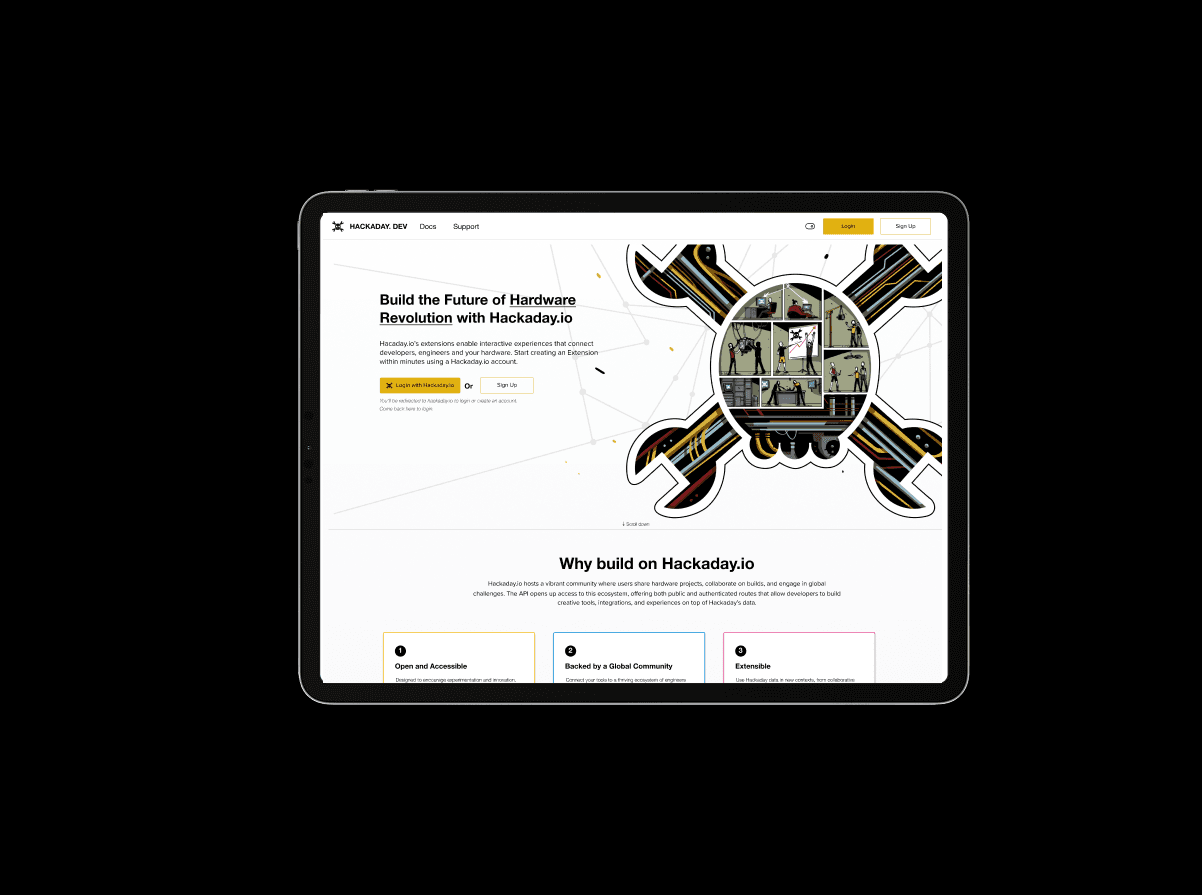
5. Users had to login or sign up via Hackaday, but there was no clear indicator for this.


→ Solution: Added both “Login with Hackaday” and “Sign Up” buttons, along with helpful text below to clarify what users should expect before clicking.

Before & After Updates

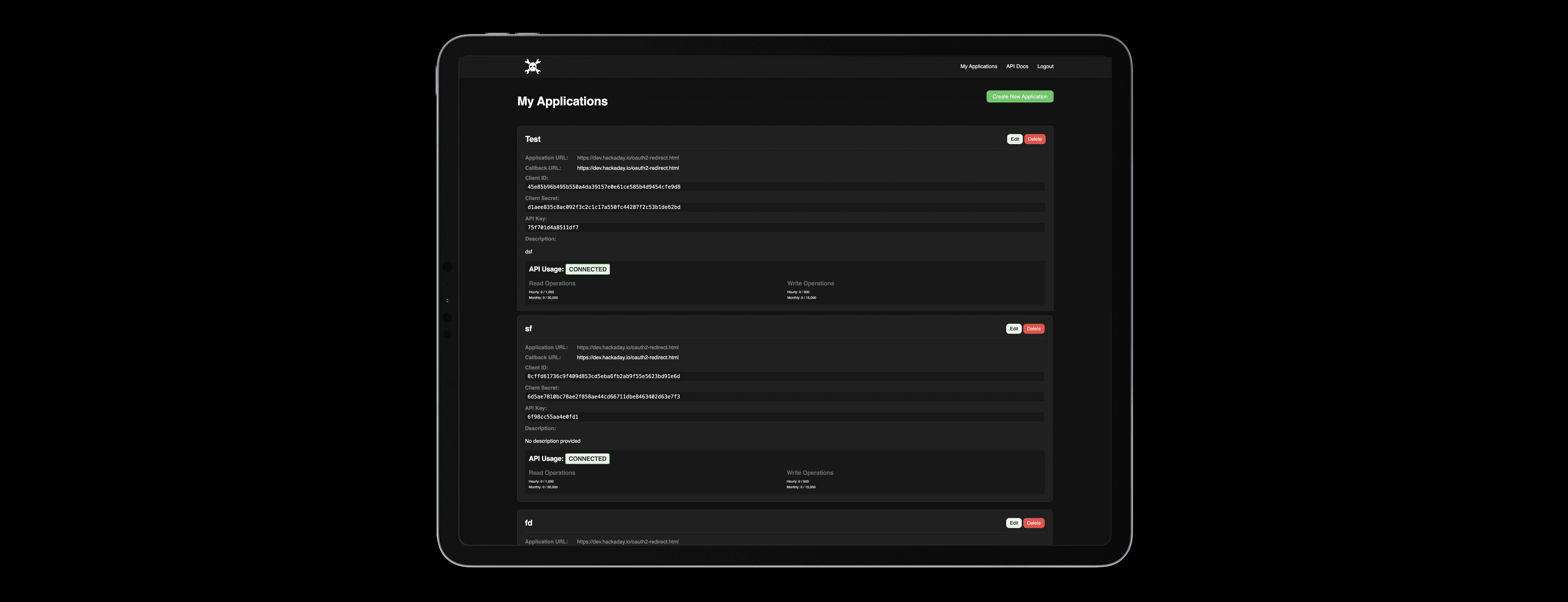
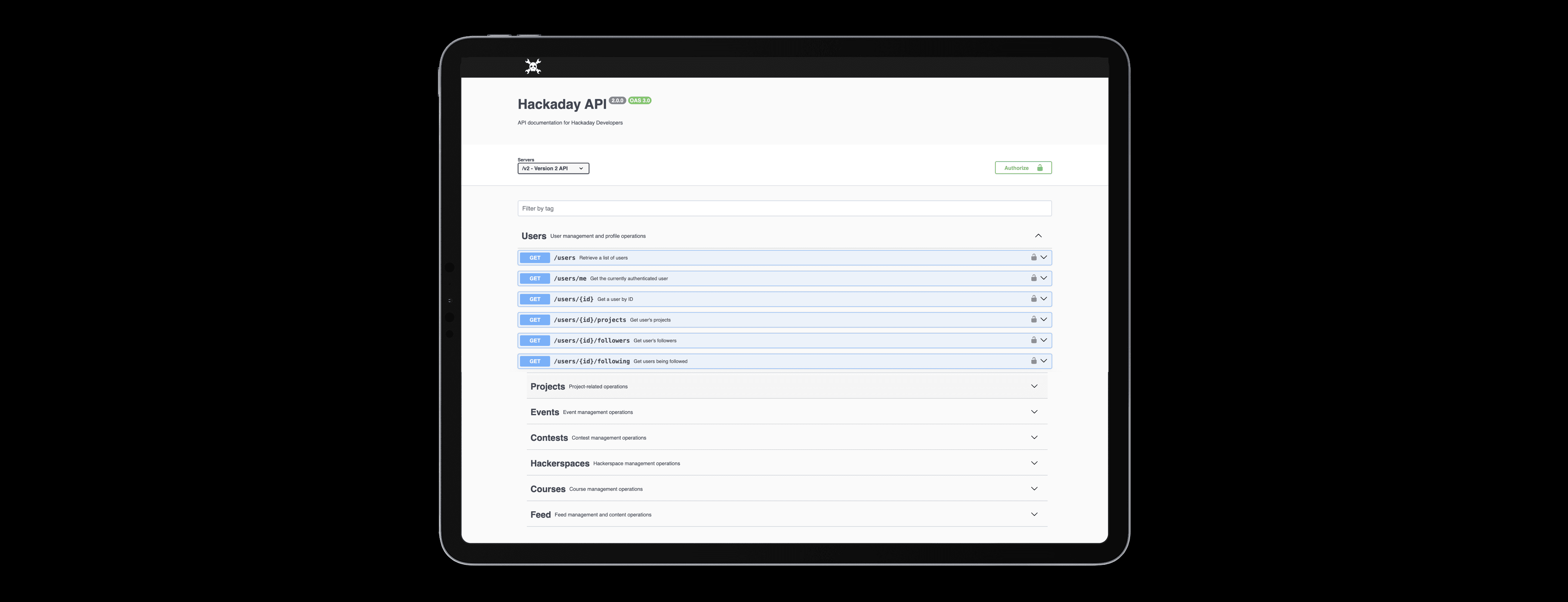
Previous Version

✗ No sign-up option

✗ Unclear Information Hierarchy: First-time

users struggled to navigate due to confusing

content structure.

✗ No sign-up option

✗ Unclear Information Hierarchy: First-time users struggled to navigate due to confusing content structure.

New Version

✓ The landing page offers essential information for first-time users.

✓ Users can log in or sign up according to their needs.

✓ The landing page offers essential information for first-time users.

✓ Users can log in or sign up according to their needs.

Previous Version

✗ No information available on projects,

updates, or support tickets.

✗ No guidance for first-time users.

✗ Lack of content chunking for better

readability.

✗ No information available on projects, updates, or support tickets.

✗ No guidance for first-time users.

✗ Lack of content chunking for better

readability.

New Version

✓ The dashboard now includes essential functions,

providing easy access while minimizing options to

prevent choice overload.

✓ The dashboard now includes essential functions, providing easy access while minimizing options to

prevent choice overload.

Previous Version

✗ Accessing information by opening each dropdown

individually was time-consuming and inefficient.

✗ To copy the API Key and Secret, users had to

switch back and forth between the project and

the documentation, which significantly reduced

efficiency.

✗ Accessing information by opening each dropdown individually was time-consuming and inefficient.

✗ To copy the API Key and Secret, users had to switch back and forth between the project and the documentation, which significantly reduced efficiency.

New Version

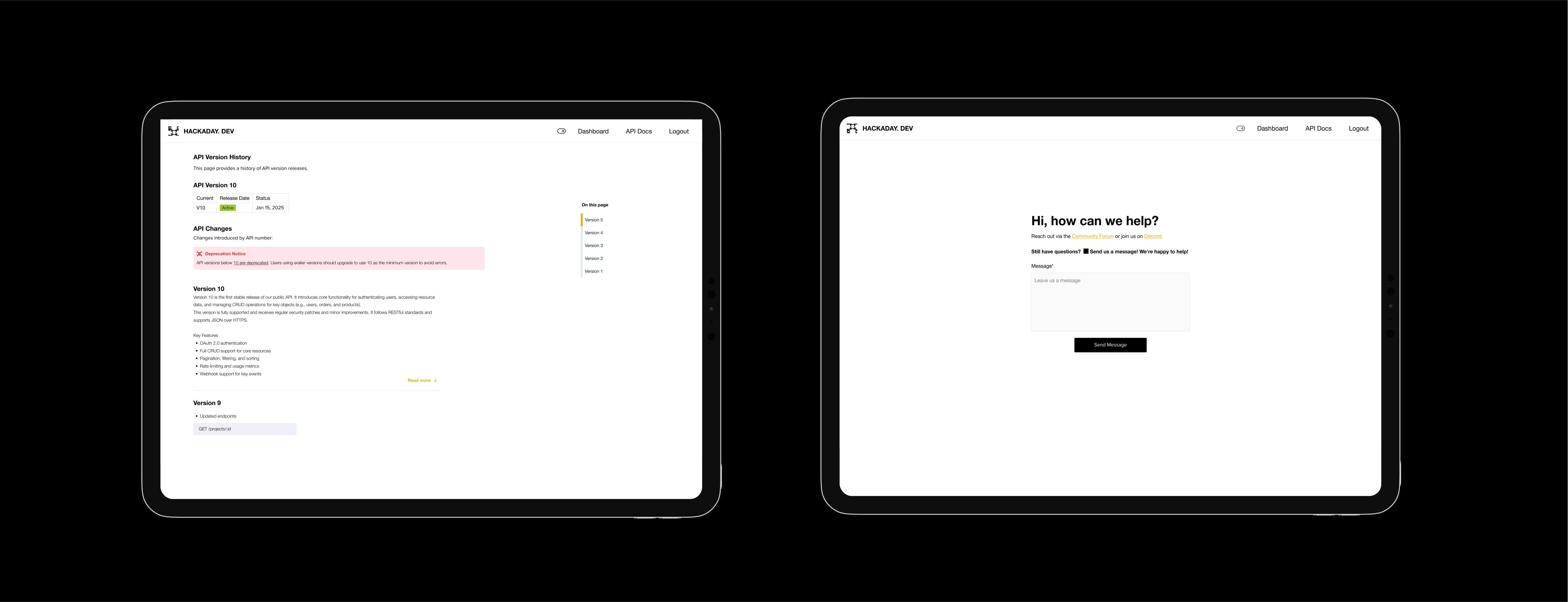
✓ Project details were added to the sticky header.

✓ Instead of requiring users to return to the project

for copying and pasting, a static “My Application”

dropdown has been added. This allows easy access

to project API information for copying and pasting.

✓ Project details were added to the sticky header.

✓ Instead of requiring users to return to the project for copying and pasting, a static “My Application”

dropdown has been added. This allows easy access to project API information for copying and pasting.

Final Prototype

Prepare to develop your most outstanding project with Hackaday.

Prepare to develop your most outstanding project with Hackaday.